Built to minimize what leaves your device — not maximize what AI can do
Every design decision in NoteWrite starts from the same question: does this actually need to happen, or does it just happen to be possible? Here's exactly what that means in practice.
Device-first
Speech recognition and client records live on your device — not in a database NoteWrite operates.
Minimized before anything is sent
Only what's needed for a specific note is ever processed. Safety-related content never touches a model, in either direction.
You're always in control
Every note is reviewed and signed by you. Turn off automated drafting entirely for SOAP and DAP notes and document by hand instead.
Nothing kept longer than it has to be
Content sent for note-writing assistance is processed once and not retained afterward.
Speech recognition runs on your device
Apple's on-device speech recognition converts your voice to text directly on your phone. Your audio itself is never transmitted anywhere — not to NoteWrite, not to AWS, not to Apple's cloud transcription service.
Client records stay on your device
Clients are identified by initials and an internal ID only. Session content and notes are stored in the app's private storage on your device, not in a database NoteWrite operates.
Scanned pages are read and discarded, on-device
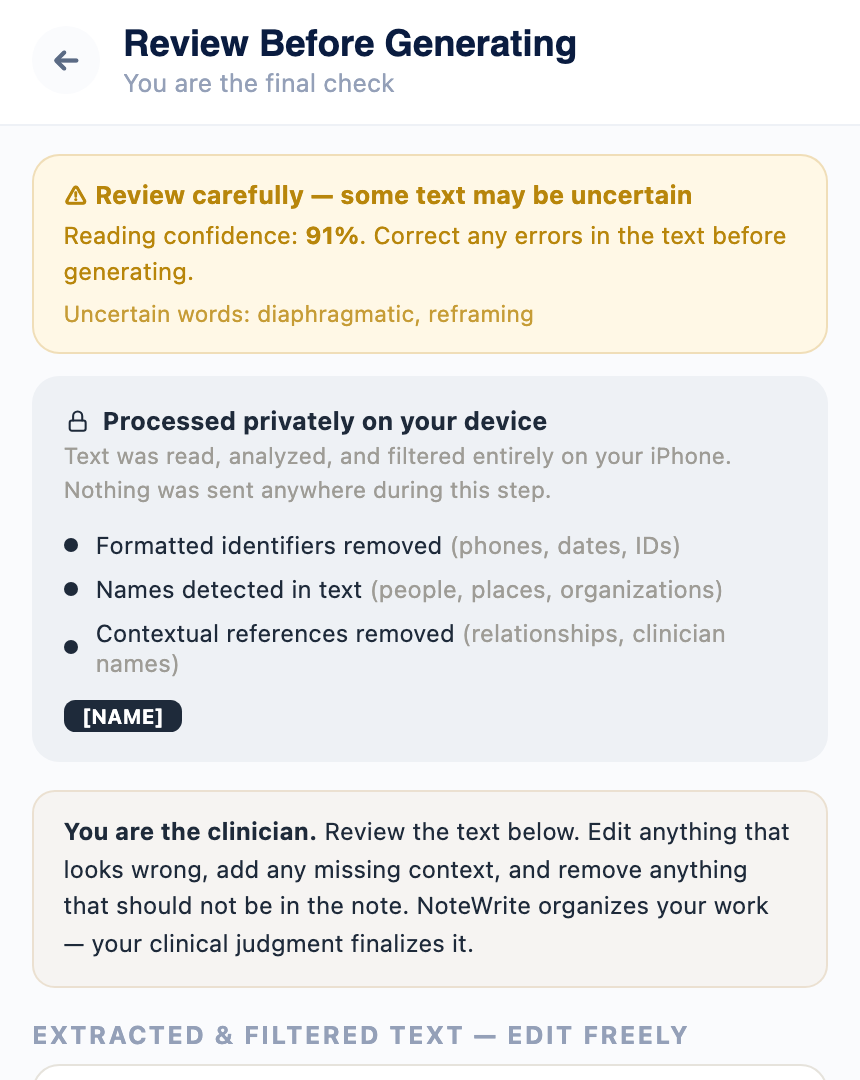
"Finish My Note" uses Apple's Vision framework to read handwritten pages on-device, and sensitive details are stripped before you ever see the extracted text. The photo itself is never saved or uploaded.
One provider, zero retention
The only data that ever leaves your device is what's needed for note extraction, generation, or revision — sent once, under a signed Business Associate Addendum with AWS, and never stored afterward. NoteWrite uses a single processing provider (AWS Bedrock, running Anthropic's Claude) for every drafting feature in the app.
Safety content stays separate
Information about suicidal ideation, homicidal ideation, self-harm, or safety planning is handled by a separate, deterministic part of the app. It's never included in what's sent off-device for extraction or generation, and generated text is never permitted to introduce or alter it — in either direction.
Device authentication, every time
Face ID, Touch ID, or your device passcode is required every time the app opens or returns from background — not optional. Protects client records at all times, including the case of handing your device to a client to complete a screener.
A real off switch, not just a policy
For SOAP and DAP notes, you can turn off automated drafting entirely in Settings and document by typing directly into each section. When it's off, nothing is transmitted anywhere — no network call happens at all.
What we deliberately don't do
NoteWrite doesn't use any analytics, advertising, or crash-reporting SDK.
Nothing sent for AI assistance is ever used to train any model.
Scanned handwritten notes are read on-device and discarded immediately — never saved to your Photos library or uploaded anywhere.
Calendar sync is strictly read-only, and only for the calendars you explicitly select.
Full technical detail lives in our Privacy Policy — including exactly what's collected, where it's stored, and how AWS's Business Associate Addendum applies.
Read the Full Privacy Policy →