Everything a session needs, nothing it doesn't
NoteWrite is built around one idea: capture what actually happened, and let the clinician finish the thought.
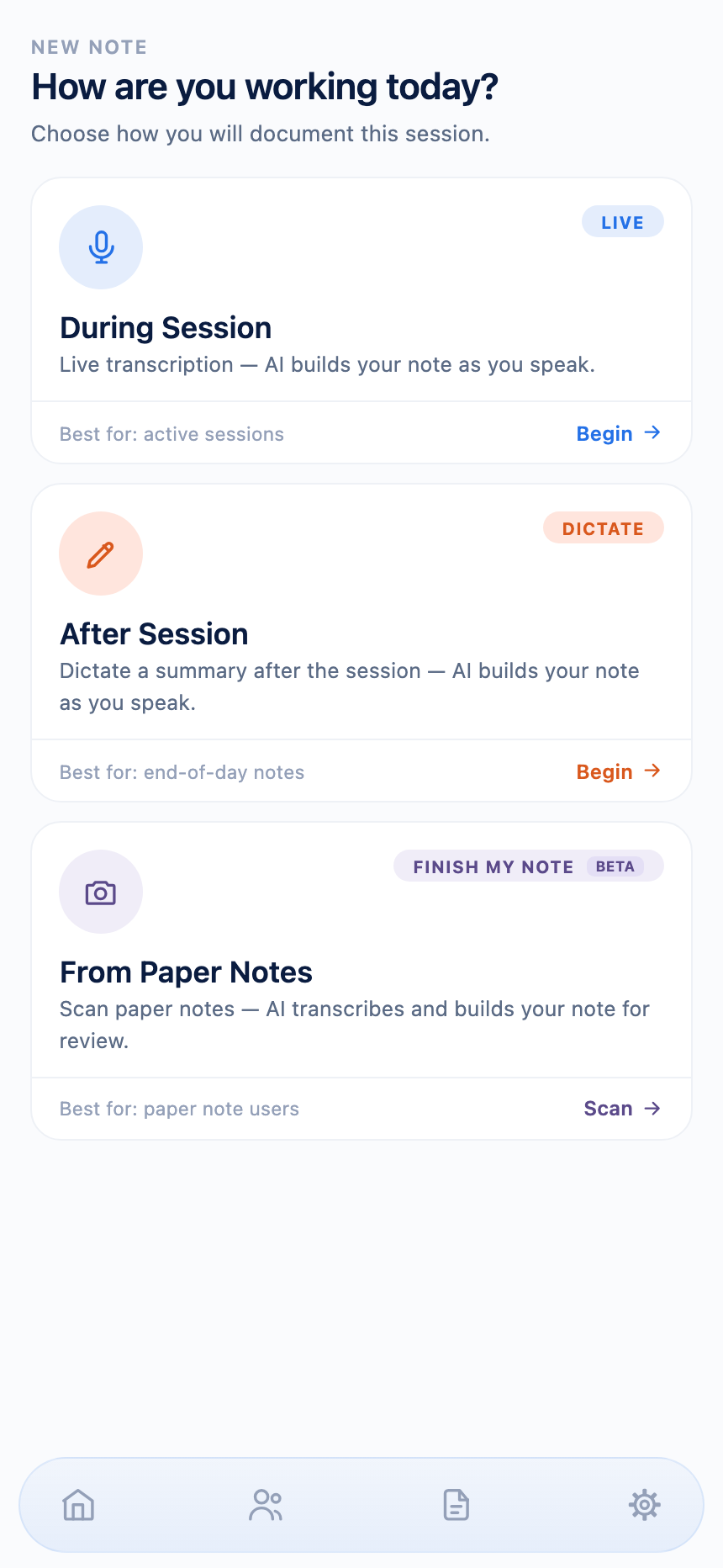
Three ways to capture a session
Choose whatever fits the moment — no single required workflow.
Live Session
Talk through the session as it happens while NoteWrite keeps everything organized in the background. Your audio never leaves your phone.
Post Session
Complete your note after the session by dictating the key points you want documented. Your audio never leaves your phone.
Finish My Note — Make Paper Notes Digital
Scan any handwritten paper notes and NoteWrite reads them on-device using Apple's Vision framework. Only the reviewed text — never the photo — is used to draft the note.
Full Clinician Review
Every generated section is editable and requires your review before it can be finalized.
Always know what's still missing
A live status grid tracks every section of your note as you go — in a live session, it shows what's been covered in real time; in post-session dictation, it flags exactly what still needs to be said before your note is complete.
Continuity of care, built into every note
NoteLink brings a client's past notes data — screener scores, self-rated mood, and treatment goals — into each new note, keeping documentation focused on medical necessity and measurable progress. The full thread from assessment to treatment plan to today's session stays visible, session after session.
Screeners and resources, right where you're working
PHQ-9, GAD-7, and other standard screeners are built in and scored automatically. NoteWrite can also surface relevant client-facing resources — like grief support materials — right alongside the session.
Screeners
PHQ-9 and other standard assessments, scored automatically.
Resources
Client-facing materials, like grief support, surfaced right in the session.
Beyond the note
The rest of what keeps documentation connected to the work.
Safety, handled separately
Suicidal ideation, self-harm, and safety planning are captured through a dedicated, deterministic part of the app — never sent to any model, in either direction.
Calendar sync
Connect a calendar and NoteWrite reads — never writes — your appointments to build your schedule.
Manual Mode
Turn off automated drafting entirely for SOAP and DAP notes and type directly into each section — zero network calls.
PDF export & EHR-formatted copy
Export a signed note as a PDF, or copy text formatted for your specific EHR — one tap, no reformatting by hand.
Want the full picture on privacy?
Where your data lives, what's sent where, and why.
Security & Privacy →